Table of Contents
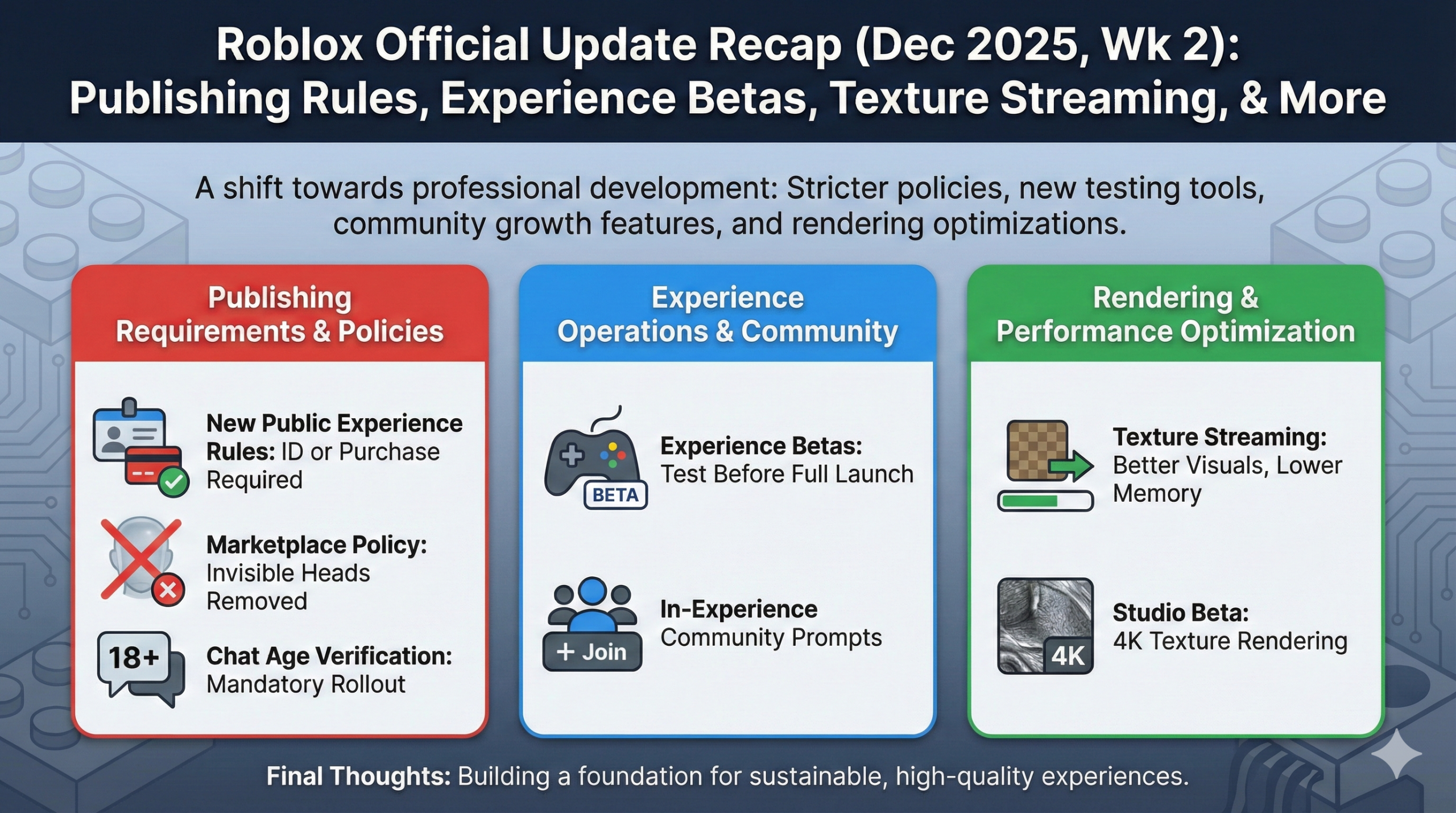
In December 2025, Roblox announced numerous important updates for developers. This article provides a detailed explanation of the latest information that creators need to know.
Major Enhancements to Development Tools & APIs
This month saw the release of many new features to improve developer productivity. Let’s take a closer look at each feature.
HttpService Monitoring Dashboard
A new dashboard for visualizing communication status with external APIs has been released. You can access it from the Creator Dashboard via “Monitoring” → “Http Service”.
Available Metrics:
- Request Count: Track the total number of HttpService requests from your experience over time
- Response Time: Measure the latency for each endpoint response
Filtering Features:
- By Place: Display metrics limited to specific places
- By Request Type: Analyze performance by HTTP method (GET, POST, etc.)
- By Status: Quickly detect errors by response status (200, 404, 500, etc.)
For experiences using external APIs, you can now quickly identify which endpoints are bottlenecks and where errors are occurring frequently. Detailed analysis by HTTP domain is planned to be added in the future.
StudioTestService: Test Automation from Plugins
A new service called “StudioTestService” has been released for plugin developers. This service allows you to automate and customize Studio’s playtest functionality from plugins.
Four Main Methods:
| Method | Description |
|---|---|
ExecutePlayModeAsync() |
Start a test session in solo play mode. Can also pass arguments |
ExecuteRunModeAsync() |
Start a test session in run mode |
GetTestArgs() |
Retrieve arguments passed to ExecuteAsync methods |
EndTest(result) |
End the current test session and return results to the caller |
Workflow:
- Plugin sends test arguments to start the test
- In-game script receives arguments via
GetTestArgs() - Upon test completion, return results with
EndTest() - Plugin receives results and continues to next process
Practical Use Cases:
- Test Location Caching: Save frequently tested positions and start tests from that location with one click
- Scenario Presets: Pre-configure NPC spawn positions and initial states to reduce test preparation time
- Automatic Tuning: Automate parameter adjustments for vehicle physics (A-chassis, etc.)
Since arguments can be exchanged between plugins and game scripts, you can significantly automate testing work that was previously done manually.
ReflectionService: Programmatic Access to Engine API Information
A new service called “ReflectionService” has been released that allows programmatic inspection of the Roblox engine’s API surface. It provides powerful functionality for plugin development and metaprogramming.
Three Main Methods:
| Method | Description |
|---|---|
GetClass(className, filter) |
Get hierarchy structure and permission information for a specific class (Part, MeshPart, etc.) |
GetClasses(filter) |
Return information for all classes accessible in the current security context |
GetPropertiesOfClass(className, filter) |
Get all property information for the specified class (data type, serialization state, security level) |
Security Features:
You can filter access permissions using a value called SecurityCapabilities. Output is automatically restricted according to the script’s execution context (plugin, module script, etc.).
Use Cases:
- API Inspection Plugins: Automatically analyze new API releases
- Instance Class Change Plugins: Dynamically retrieve available classes
- Documentation Generation Tools: Automatically generate documentation from the current engine API
Current Limitations:
- Event and method information not yet implemented
- Tag information (Hidden, etc.) not yet supported
Open Cloud API Extension: Developer Products and Game Passes Management
Management capabilities for Developer Products and Game Passes have been added to the Open Cloud API, which allows external manipulation of Roblox resources.
What You Can Do with New Endpoints:
- Create: Create new Developer Products or Game Passes
- Fetch: Retrieve existing product information
- Update: Update price, name, description, etc.
- List by Universe: List all products associated with a specific experience
Authentication Method:
Currently only API key authentication is supported.
Practical Use Cases:
- Bulk price changes across multiple experiences
- Integration with external management tools
- Automated deployment in CI/CD pipelines
- Automated management of discount campaigns
Developers have praised this as it simplifies code compared to legacy APIs and enables more advanced implementations.
Official Documentation:
New Game Development Features
SLIM (Scalable Lightweight Interactive Models): Next-Generation LoD Technology
SLIM is a new Level of Detail (LoD) system that significantly improves the visual quality of distant objects. It is now available as a client beta for PC/Mac.
How SLIM Works:
SLIM generates lightweight representations using two key technologies:
-
Compositing
- Integrates and optimizes multiple parts
- Example: A car composed of 112 meshes and 24 textures optimized to 1 mesh and 4 textures
- Automatically removes hidden internal geometry
- Significantly reduces Draw Calls
-
Level of Detail (LoD)
- Automatically generates multiple detail levels
- Creates low-resolution textures and polygon-reduced meshes
- Selects appropriate detail level based on distance
Harmony System:
At the core of SLIM is a dynamic resource management system called “Harmony”. It monitors user device resources (memory, GPU/CPU load, network bandwidth) each frame and dynamically selects optimal instances and assets.
Three Rendering Regions:
| Region | Instance | Rendering | Usage |
|---|---|---|---|
| HH Region | High Quality | High Quality | Near player distance |
| HL Region | High Quality | Lightweight | Medium distance (transition zone) |
| LL Region | Lightweight | Lightweight | Far distance |
Actual Results:
Test examples have confirmed the following reductions:
- Data Model Instances: 159,745 → 92,536
- Triangle Count: 20M → 3.35M
How to Use:
- Enable Team Create
- Turn on
StreamingEnabled - Set the target model’s
LevelOfDetailproperty toSLIM
Current Limitations:
- Static meshes only (animated meshes not supported)
- PC/Mac client beta only
- Models with SLIM settings may become invisible on other platforms
For experiences with vast open worlds or numerous objects, this technology significantly contributes to achieving both performance and visual quality.
Adaptive Animation Beta
A groundbreaking new feature called “Adaptive Animation” that allows sharing animations between different rig types has been released as a Studio Beta.
What is HumanoidRigDescription (HRD):
HRD is a new system that functions as a “translation layer between custom character skeletons and standard R15 bodies”. This enables animation compatibility between characters with different rig structures.
Main Features:
-
Automatic Compatibility Settings
- Studio’s 3D importer automatically generates HRD when importing custom rigs
- Analyzes joint hierarchy, naming conventions, and spatial layout to determine humanoid structure
-
Precise Editing Features
- Select and edit HRD instances in Explorer
- Modify joint mapping
- Adjust T-pose
- Edit joint volume and range of motion
Rig Classification:
During import, rigs are automatically classified into three types:
| Classification | Description |
|---|---|
| R6 | Standard R6 rig (no changes) |
| Humanoid (R15) | Custom rig with automatic mapping support (10+ joints detected) |
| Custom | Classification when mapping fails |
Benefits:
- Platform Animation Compatibility: Custom rigs can use the R15 animation library
- Universal Production: Animations created with custom rigs can play on R6/R15 characters
- Zero Runtime Cost: No impact on existing features, no performance cost
Developers who previously had to prepare separate animations for each character can expect significant workload reduction.
Major Developments in the Japanese Market
Roblox Creator Series in Tokyo 2025
Roblox’s first creator event held in Japan took place. Japanese creators, game developers, and influencers gathered together for a successful event.
Speakers:
- Kenta Hashiba (TAKARA TOMY): About ‘BEYBLADE X’
- Soichiro Tanaka (GeekOut Inc.)
- Jandel: Creator of ‘Grow a Garden’
- Surprise Guest: HIKAKIN
Rapid Growth in the Japanese Market
According to the “Japan Roblox Economic Impact Annual Report” announced at the event, the Japanese market has achieved remarkable growth:
| Metric | Growth Rate (Q4 2022 → Q4 2024) |
|---|---|
| DevEx-Eligible Creators | 415% increase |
| Japan DAU | 120% increase |
| Total Revenue Sharing | 78% increase |
The Japanese market has become one of the fastest-growing regions for Roblox, presenting great opportunities for Japanese creators.
Improvements to Creator Revenue
DevEx Rate Increase
As announced at RDC 2025, the DevEx (Developer Exchange) rate has been raised by an average of 8.5% for the first time in 8 years. This is expected to distribute an additional $95 million to the creator community.
With the same Robux earnings, creators can now receive more cash, boosting creator motivation.
Live Creator Tournament
A creator competition with a total prize pool of $50,000 has started. If you’re confident in your development skills, give it a try!
Security Enhancement: Expansion of Age Verification System
Roblox is significantly expanding its age verification system to improve safety.
Affected Features:
- Chat functionality
- Studio Team Create
- Use of external links
Communication Restrictions by Age Group:
In collaboration with child development experts, appropriate age groups have been defined. Restrictions are placed on communication between adults and minors.
Rollout Status:
- Early adoption in Australia, New Zealand, and the Netherlands
- Global rollout planned sequentially
As developers, it’s important to be mindful of age-appropriate content design. Especially for experiences with social features, design considerations for age restrictions are required.
Summary
The Roblox updates for December 2025 have been very comprehensive for developers.
Key Highlights This Month:
-
Enhanced Monitoring & Analysis Tools
- HttpService monitoring dashboard visualizes external API communication
- Easier identification of performance issues
-
Development Efficiency Tools
- StudioTestService for test automation
- ReflectionService enhances metaprogramming
- Open Cloud API extension makes external tool integration easier
-
Performance & Quality Improvements
- SLIM optimizes rendering of distant objects
- Adaptive Animation streamlines asset management
-
Rapid Growth in Japanese Market
- DevEx-eligible creators up 415%
- Successful first Japan event
-
Revenue Improvements
- DevEx rate up 8.5%
- $50,000 creator competition launched
Let’s leverage these new features to create even better experiences!
Reference Links
Published: December 6, 2025